
Funny Slides
gaassis ahmedArcade
3.46.00 Reviews
- Version
- 2.1.4
- Installs
- 500.00K
- Age Rating
- Teen
Screenshots

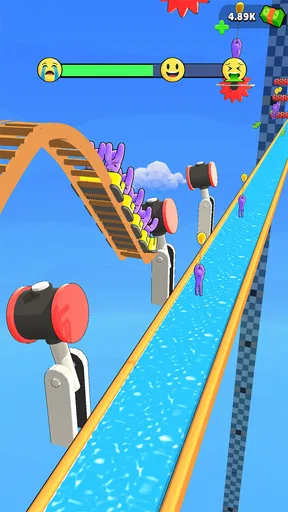

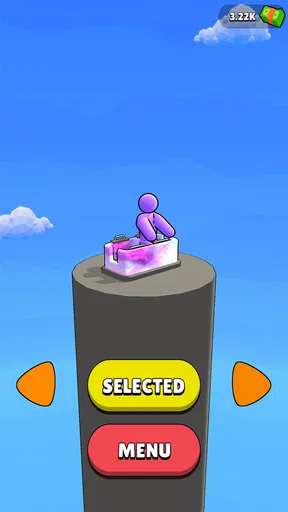




Our Review of Funny Slides
 Analysis by Appyee
Funny Slides is the kind of small arcade game I would open when I want a quick distraction rather than a deep, carefully structured gaming session. Its basic appeal is easy to understand: move through funny situations involving stickmen, react to what appears on screen, and enjoy the simple pleasure of getting a little farther than before. The presentation is deliberately light, and that makes it approachable for someone trying it for the first time.
I found the game most interesting as a short-session experience. It does not need to become the center of your evening; it works better as something to play while waiting for a bus, taking a break, or handing a phone to someone who wants to try something immediately. The free price removes the main barrier to testing it, while the Teen content rating gives families a reason to check the tone themselves before letting younger players use it.
My main advice is to treat Funny Slides as a casual arcade toy, not as a full-length adventure. That expectation makes its simplicity feel intentional instead of disappointing. If you are looking for elaborate progression, a story, or a large collection of systems to master, this is probably not the right destination. If you like quick attempts and humorous stickman-style action, it has a more reasonable chance of fitting your routine.
Getting comfortable with the game
I’d use this section to focus on the small choices that make a first session less frustrating: keep your grip relaxed, use the same finger and starting position, and change one movement habit at a time. That gives you a clearer sense of whether a stumble comes from timing or an overlarge gesture. Once the controls feel familiar, the next question is how well the game fits into a short break.
What to expect when you first open it
The first impression is built around movement and timing rather than explanation. The store summary describes funny slides and stickmen, and that short description is a fair clue to the experience: the game aims to put you into playful sliding situations quickly. I would not approach it expecting a long tutorial or a detailed introduction to a fictional world. Its strength is the immediate premise.
That simplicity is useful for new players. You do not need to learn a complicated character build, remember a large map, or understand a long list of objectives before making your first attempt. Instead, the sensible approach is to watch the screen carefully, identify what the game is asking you to do, and make small adjustments rather than rushing into repeated movements.
At the same time, simple controls do not automatically mean perfect control. Arcade games often make a basic action feel demanding because the timing window is narrow or because a small mistake changes the result. With Funny Slides, I would give myself a few attempts before deciding whether the movement feels natural. The first run is mainly for learning how the game responds to touch, not for proving that you can play well.
The stickman presentation also sets the right mood. It suggests humor and quick visual reactions rather than realism. That makes the game suitable for players who enjoy exaggerated animation and uncomplicated characters. It may feel too lightweight if you prefer polished visual spectacle, but the stripped-back style can also make the important action easier to read on a smaller phone screen.
Installing it and preparing for the first attempt
Funny Slides is available as a free game from developer gaassis ahmed. It was released on September 7, 2022, and the current version is 2.1.4. It requires Android 8.0 or later, so anyone using an older device should check compatibility before planning to play. On a supported phone, the practical setup is straightforward: install it, open it, and keep the first session focused on learning rather than chasing a high result.
I recommend beginning with the sound at a comfortable level and using the phone in a position that leaves your main touching finger relaxed. That may sound minor, but sliding games punish tense hands. If you grip the device too tightly, your movements become exaggerated and it is harder to make the small corrections that arcade play often needs.
A useful first-session habit is to avoid switching between portrait and landscape orientation while learning. Even if the game handles the display cleanly, changing how you hold the phone can make familiar gestures feel different. Pick the position that feels natural, keep both eyes on the active area, and learn the relationship between your finger movement and the stickman’s response.
I would also avoid judging the whole game from the opening minute. A short arcade title can feel almost empty until the player understands its rhythm. Give it several honest attempts, then decide whether the central action is enjoyable. If the basic sliding interaction already feels irritating after that short test, additional practice is unlikely to turn it into the kind of game you want.
Finding the first meaningful success
For a first-time player, success should not mean reaching an impressive distance or beating an imagined expert. The first meaningful success is completing a sequence while staying calm enough to understand why it worked. I would begin by making deliberate, moderate movements. Large swipes may feel faster, but they reduce your ability to correct the stickman when the situation changes.
Watch the space immediately ahead instead of staring only at the character. In a sliding arcade game, the next hazard or change usually matters more than the position you occupied a moment ago. Looking forward gives you a little time to prepare, while reacting only after the problem is beside you leads to hurried gestures and avoidable mistakes.
Another practical tip is to separate observation from action. When a run goes wrong, ask yourself whether you moved too early, moved too far, or failed to notice the next obstacle. That simple diagnosis is more useful than repeatedly restarting with the same gesture. It turns each attempt into a small experiment and helps you learn the game’s timing without needing a formal tutorial.
Once you complete a section successfully, pause mentally for a moment instead of immediately trying to play faster. Many casual arcade mistakes happen because a player turns one successful action into an overconfident rush. Maintaining the same controlled rhythm is often more valuable than trying to make every movement dramatic.
This is also where Funny Slides can work well in an everyday situation. Imagine having a few minutes before an appointment. You can open the game, make several attempts, and stop without needing to remember a complicated quest or find a safe place in a large world. The short-session format is convenient, although players who dislike restarting after mistakes may find that same format repetitive.
Where new players may become confused
The largest source of confusion is likely to be the gap between a funny visual idea and the precision needed to play it well. A stickman sliding across the screen looks casual, but the correct response may still depend on timing. Do not assume that a humorous presentation means the game will forgive every careless gesture. Treat the first few rounds as a lesson in responsiveness.
It can also be unclear whether a failed attempt came from a bad decision or from an imprecise touch. To reduce that uncertainty, use the same finger and roughly the same starting position for several attempts. Consistency gives you a better basis for judging your own timing. If every attempt begins with a different grip and gesture, it becomes difficult to tell whether you are learning or simply changing variables.
Another common mistake is to play while distracted. Funny Slides may look suitable for half-attention because its visual style is uncomplicated, but arcade timing still benefits from focus. Playing while walking, carrying something, or constantly switching between notifications can make the game seem less responsive than it really is. A quiet couple of minutes will tell you more than a rushed session interrupted every few seconds.
New players should also be realistic about the game’s scope. The average rating is 3.4 from around 227 ratings, and the game has passed 500 thousand installs. Those figures suggest that it has attracted a sizeable audience while receiving a mixed response. I read that as a reason to try it personally rather than as proof that it will suit everyone. The central sliding idea is specific enough that your enjoyment will depend heavily on whether you like its particular rhythm.
Turning repeated attempts into progress
After the first successful run, I would change only one habit at a time. Try shorter gestures for a while, then try preparing earlier for what is ahead. Changing everything at once makes it hard to recognize which adjustment helped. This method is especially useful in a game with a small number of obvious actions, because improvement comes from precision rather than from collecting abilities.
Use failed runs to identify patterns. If you repeatedly lose at the same type of moment, slow down before that point and observe the visual cue. If you fail in different places, the problem may be rushed input rather than one particular obstacle. This distinction matters: memorizing one section helps with that section, while improving your control helps across the whole experience.
I would also set a modest stopping rule. After several frustrating attempts, take a break instead of continuing with increasingly impatient movements. A short arcade game can become less enjoyable when the player starts treating every failure as a personal challenge. Returning later with a relaxed hand often produces a better result than forcing another dozen attempts immediately.
For children or younger teens, the Teen rating is worth taking seriously rather than assuming that stickmen automatically means content for every age. I would preview the game and decide whether its humor and action match the player who will use it. For adults, the rating is less likely to be a deciding factor, but it still helps frame the game as something to inspect before sharing with a child.
How it compares with familiar arcade alternatives
Compared with endless runners, Funny Slides appears more focused on the sliding action itself than on building a broad character journey. That can be an advantage if you want a direct challenge without spending time upgrading equipment or learning a complicated progression system. An endless runner may offer more variety over a long period, while this game’s appeal is the immediacy of its central joke and movement.
It also differs from puzzle games that let you stop and think for as long as you like. Here, the useful skill is likely to be quick visual reading combined with controlled input. If you prefer planning several moves ahead without pressure, a traditional puzzle game will probably feel more comfortable. If you enjoy reacting to what arrives in front of you, the sliding format is a better match.
Compared with polished premium arcade games, the free entry is attractive, but expectations should be adjusted. A paid alternative may offer more elaborate presentation, deeper progression, or a more carefully tuned difficulty curve. Funny Slides makes more sense for someone who wants to test a playful idea without committing money, especially when the phone is used for short breaks rather than long gaming sessions.
The trade-off is clear: the narrower concept makes it easy to understand, but it may also limit how long the game stays fresh for you. Players who enjoy mastering one mechanic can appreciate that focus. Players who need constant new modes, characters, or objectives should look toward a broader arcade title instead.
Who should try it, and who should skip it
I would recommend Funny Slides to casual players who enjoy stickman humor, quick restarts, and simple touch-based challenges. It is also a reasonable choice for someone who wants a free game that can be tested without learning a large ruleset. The low commitment makes it easy to install, play for a short while, and decide based on direct experience.
I would be more cautious about recommending it to players who want a substantial single-player campaign, detailed customization, or a clearly dramatic story. Nothing about the game’s short presentation suggests that those are its priorities. Likewise, if you strongly dislike repeating a challenge after a mistake, the arcade structure may become annoying rather than entertaining.
It is not the best choice when you need a game that can run quietly in the background while your attention is elsewhere. Its value comes from watching and reacting, so distracted play weakens the experience. In that situation, a turn-based puzzle or an idle game would be a better alternative because it does not depend as much on immediate timing.
My next-step recommendation
My suggested path is simple: install the free game on a compatible Android device, spend the first session learning the touch response, and aim for one controlled successful sequence. Do not begin by chasing speed. Keep your gestures moderate, look ahead, and use each failure to decide what single adjustment to make next.
After that first success, ask yourself one honest question: did the sliding action itself feel satisfying? If yes, keep playing in short sessions and work on consistency. If no, move on without feeling that you missed a hidden trick. This is a focused arcade idea, and its success depends on whether that idea matches your taste.
My overall view is cautiously positive for the right player. Funny Slides is not a replacement for a deep arcade game, but it can be a pleasant little time-filler with a clear visual identity and an easy starting point. The developer, gaassis ahmed, has kept the concept approachable enough for quick experimentation, while the mixed average rating shows why personal testing matters. Try it for the mechanic, not for promises of a large adventure.
For me, the best way to enjoy Funny Slides is to keep expectations modest and attention focused. Give it a fair first run, learn from the first few mistakes, and decide whether the stickman sliding challenge earns a place in your regular short-break rotation. If you want immediate, playful arcade action, it is worth a try; if you need depth and variety from the beginning, another game will serve you better.
Verdict
Strengths of Funny Slides
- Simple slide-based gameplay is easy to learn within seconds.
- Short rounds make it suitable for quick breaks or casual play.
- Bright visuals give the game a cheerful, accessible presentation.
- Increasing challenges can keep the experience engaging over time.
- Works well for players who prefer relaxed, uncomplicated games.
Limitations of Funny Slides
- Gameplay may become repetitive after extended sessions.
- Limited depth may not satisfy players seeking complex strategy.
- Some levels can feel more frustrating than funny.
- Progression may offer little variety between stages.
- Performance and ad frequency may vary across different devices.
Similar Picks in This Category
View All
Subway Surfers
SYBO Games4.6

Stickman Party 234 MiniGames
PlayMax Game Studio4.6

Subway Princess Runner
Ivy4.4

Temple Run
Imangi Studios4.2

Zombie Tsunami
Mobigame SAS4.6

Stack Ball - Crash Platforms
CASUAL AZUR GAMES4.5
Frequently Asked Questions
What is Funny Slides, and how does the game work?
Funny Slides is a casual puzzle game built around sliding, matching, or arranging colorful pieces to complete each level. After installing it, players can expect simple touch controls and progressively more challenging layouts. The game is designed for short play sessions, making it suitable for relaxing during a break, although later stages may require more planning and careful movement rather than quick reactions.
Is Funny Slides free to download and play?
Funny Slides can generally be downloaded without an upfront payment, allowing users to try the main gameplay at no cost. However, the free version may include advertising, optional purchases, or other limitations depending on the platform and current release. Before downloading, it is worth checking the store listing for information about in-app purchases, subscription terms, and whether paid items affect progress.
Does Funny Slides require an internet connection?
The basic sliding puzzles in Funny Slides may be playable without a continuous internet connection, which is convenient for travel or areas with limited coverage. Nevertheless, an internet connection can be required for advertisements, updates, cloud features, analytics, or purchases. Availability of offline play may also vary between versions, so users should test the game after installation before relying on it completely offline.
Is Funny Slides suitable for children?
Funny Slides uses accessible controls and a lighthearted presentation, so it may be appropriate for children who enjoy simple puzzle games. Parents should still review the age rating, advertising policy, and in-app purchase settings before allowing independent play. If the game displays third-party advertisements or offers optional purchases, enabling parental controls can help prevent accidental taps or unexpected charges.
What devices are compatible with Funny Slides, and is much storage required?
Compatibility depends on the version available for Android or iOS, as well as the operating system requirements listed by the developer. Funny Slides is typically intended for modern smartphones and tablets, but older devices may experience slower performance or may not support the latest release. The initial download is usually modest, although additional data, updates, and advertising content can require extra storage.
Play our best games!


